See WorkShieldAI in action.

From the plan on file to the audit-readiness score, in the order a workplace goes through it.

The tour

Six screens, in the order your workplace goes through them.

  1. Plan on file

    Your plan, its version, its effective date and the next review, with who has acknowledged it.
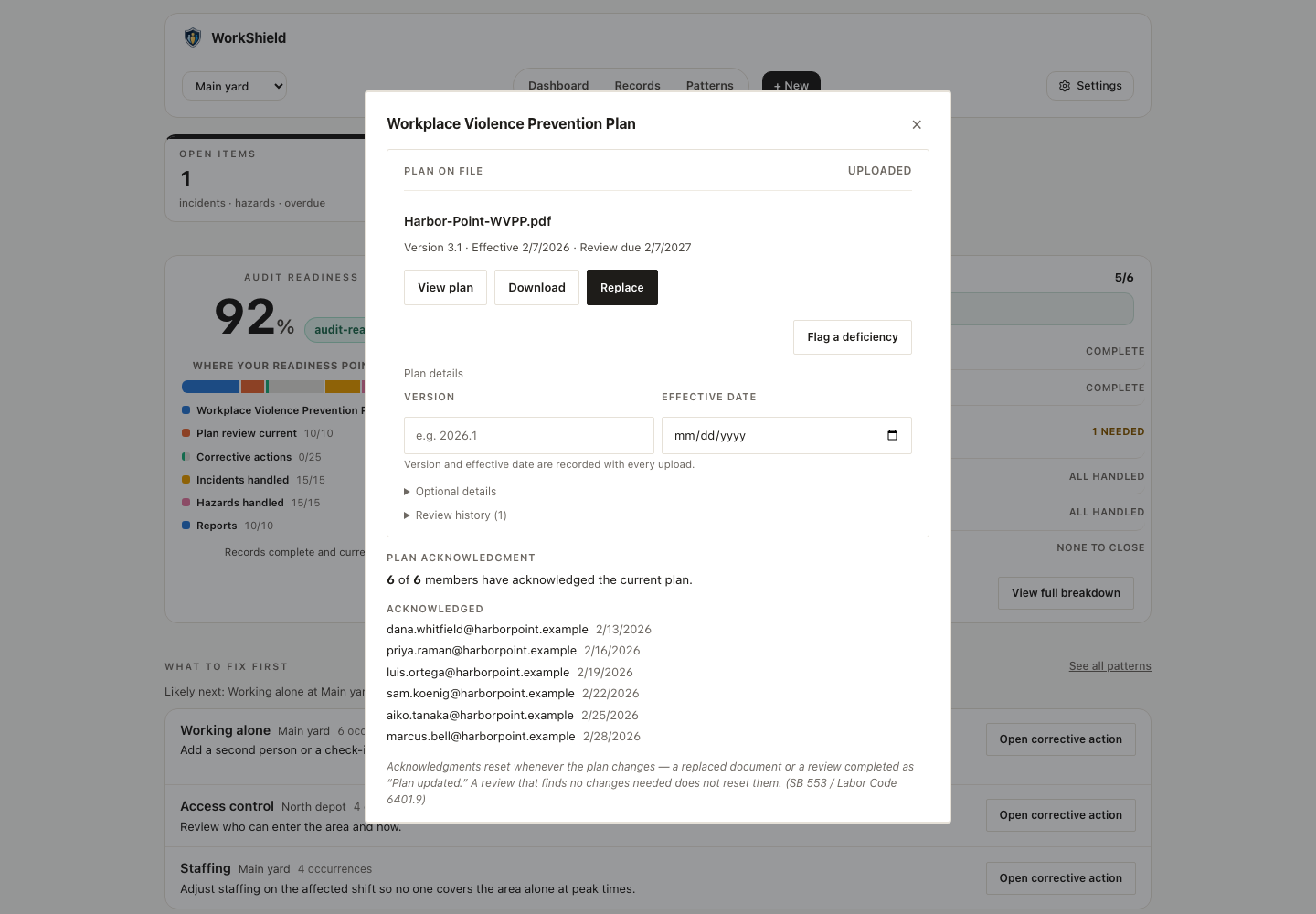
    The Workplace Violence Prevention Plan dialog: the plan on file with its version, effective date and review due date, view, download and replace buttons, and six of six members acknowledged with dates.
  2. Invite people

    Invite by email to a workplace. Each person sets their own password from the link.
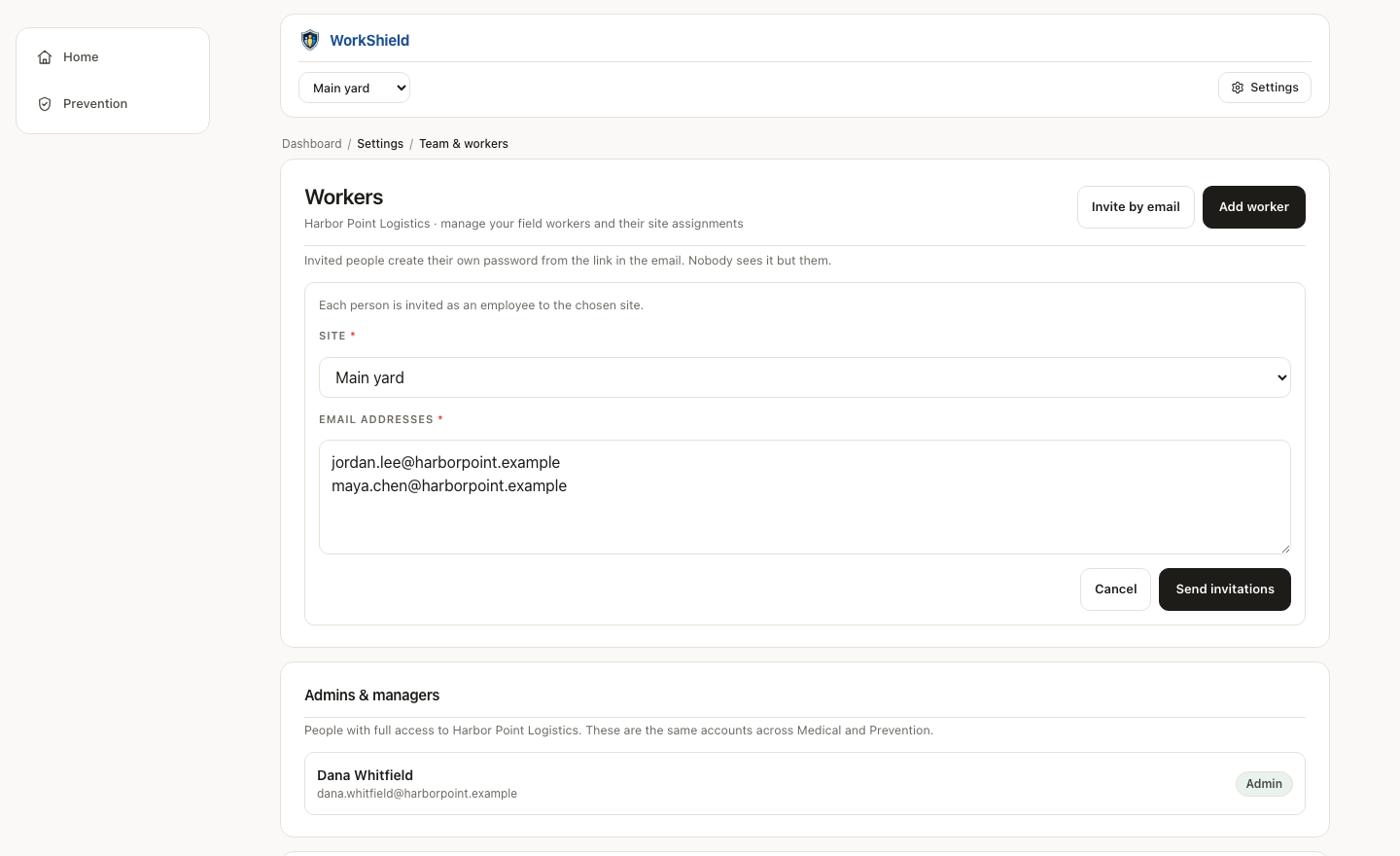
    Team and workers: the invite-by-email form with a workplace chosen and two email addresses entered, and the admins and managers list below.
  3. Acknowledgments tracked

    Who has acknowledged the current plan and when, and who still has not.
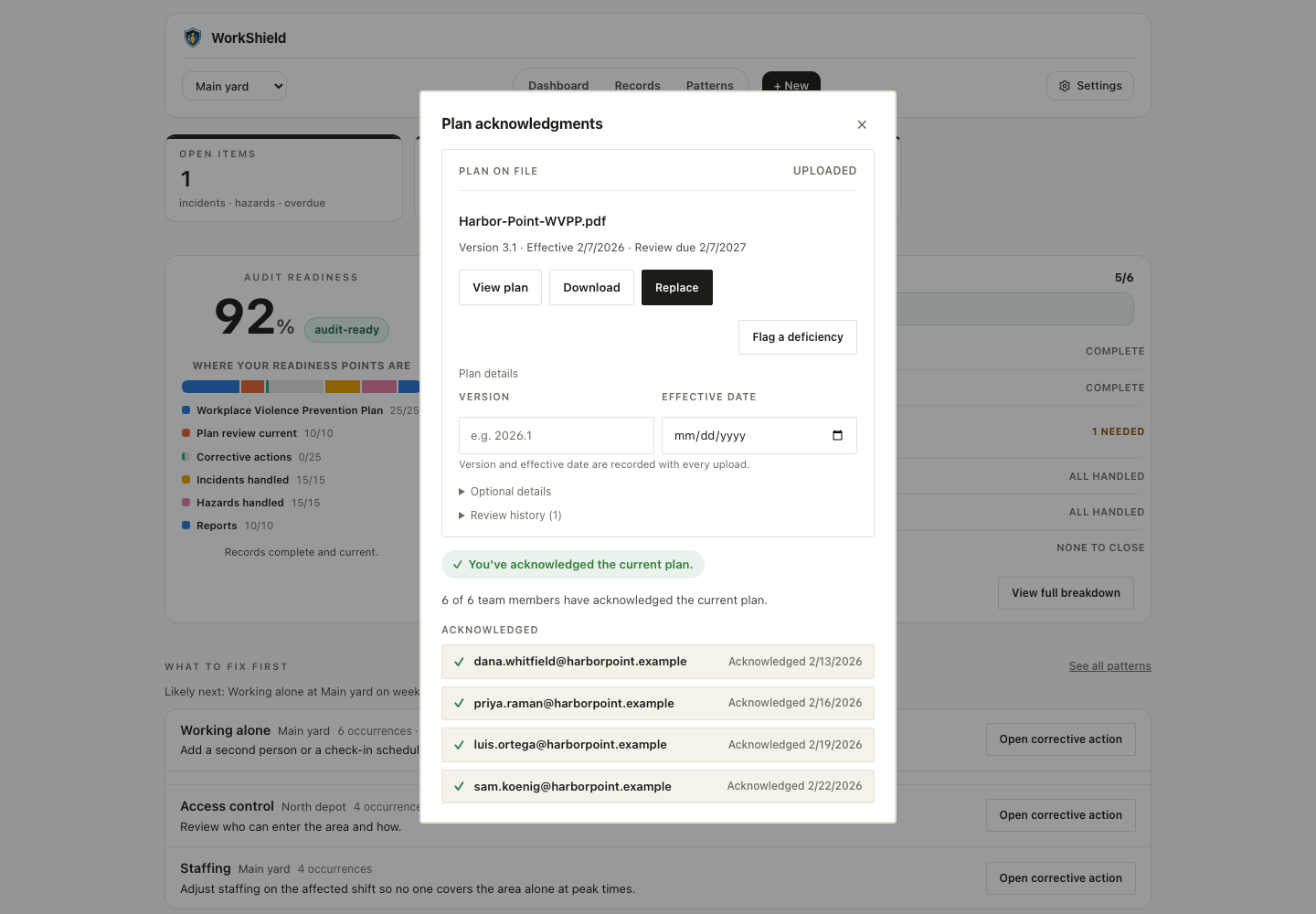
    The plan acknowledgments dialog: the plan on file, a note that you have acknowledged the current plan, and each team member listed with the date they acknowledged.
  4. Report from any phone

    An employee reports a threat, a hazard or a concern from a phone, anonymously if they choose.
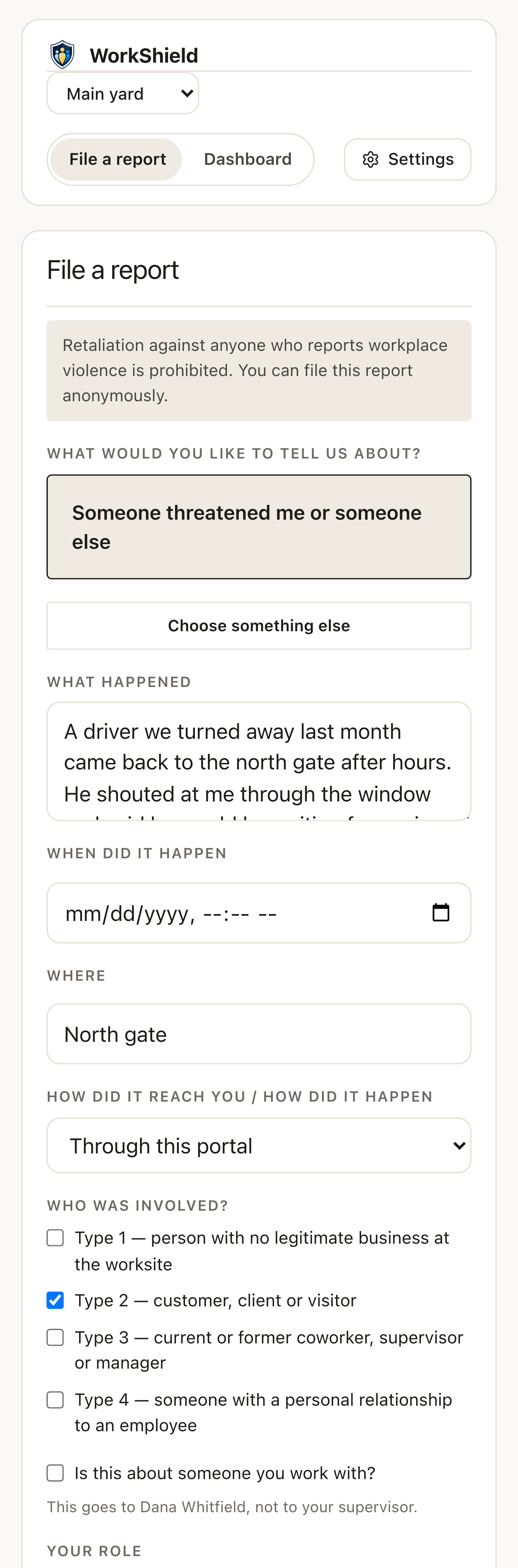
    The file-a-report screen on a phone: a note that retaliation is prohibited and the report can be anonymous, the chosen concern, what happened, when, where, and who was involved.
  5. Decide with a draft ready

    The on-premise model drafts the finding and pre-fills the decision. The administrator edits it, records what contributed, and saves.
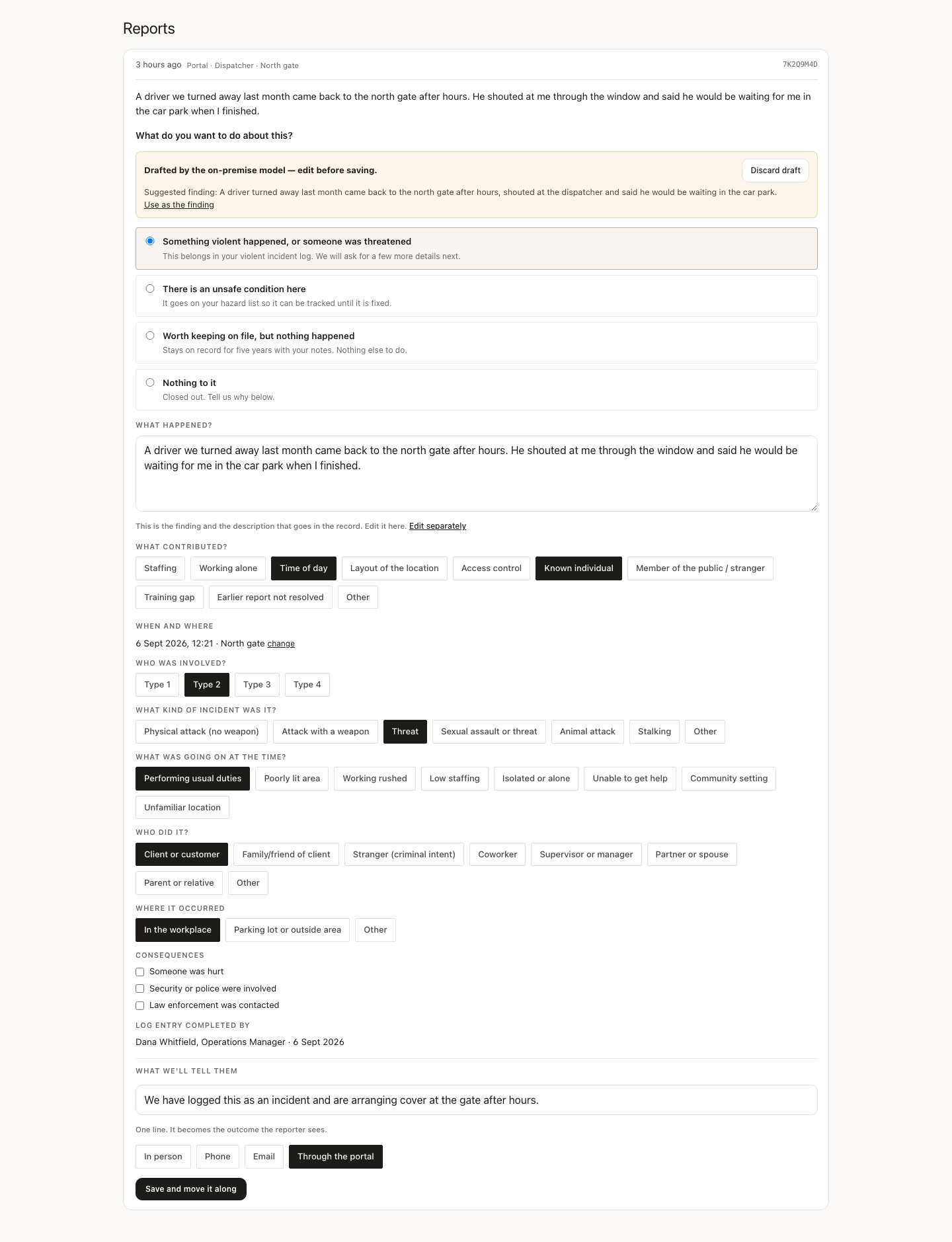
    A report in the queue with a draft from the on-premise model marked edit before saving, the four decision choices, the contributing factors, who was involved, and the line the reporter will see.
  6. Audit-readiness score

    One score for the workplace, where the points are, and what to fix first.
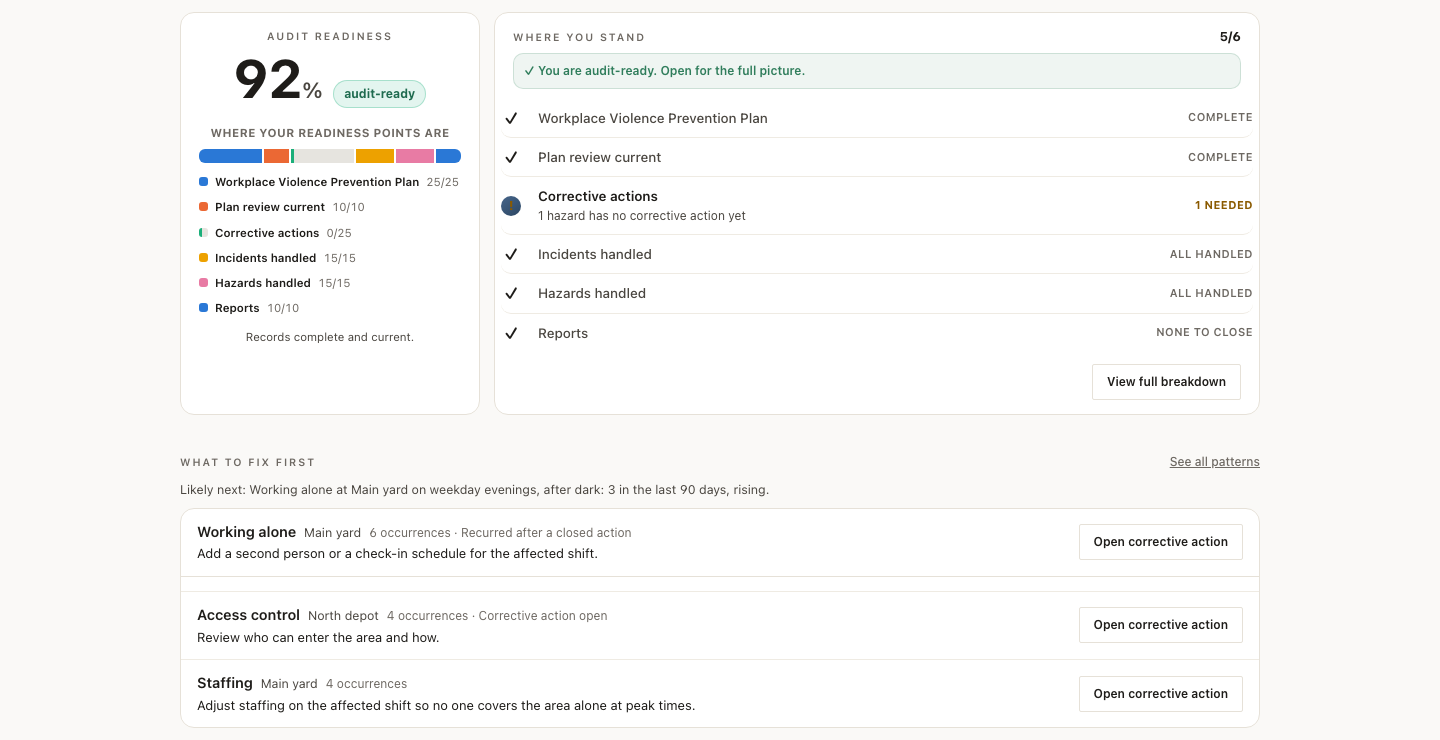
    The audit readiness score of 92 percent marked audit-ready, where the readiness points are, the where-you-stand checklist with one corrective action needed, and the what-to-fix-first list.

See what your records are telling you

  1. Patterns

    What to fix first, ranked from your own decided reports and incidents, with a suggested action for each and a “What’s driving this” narrative that a person accepts or dismisses.
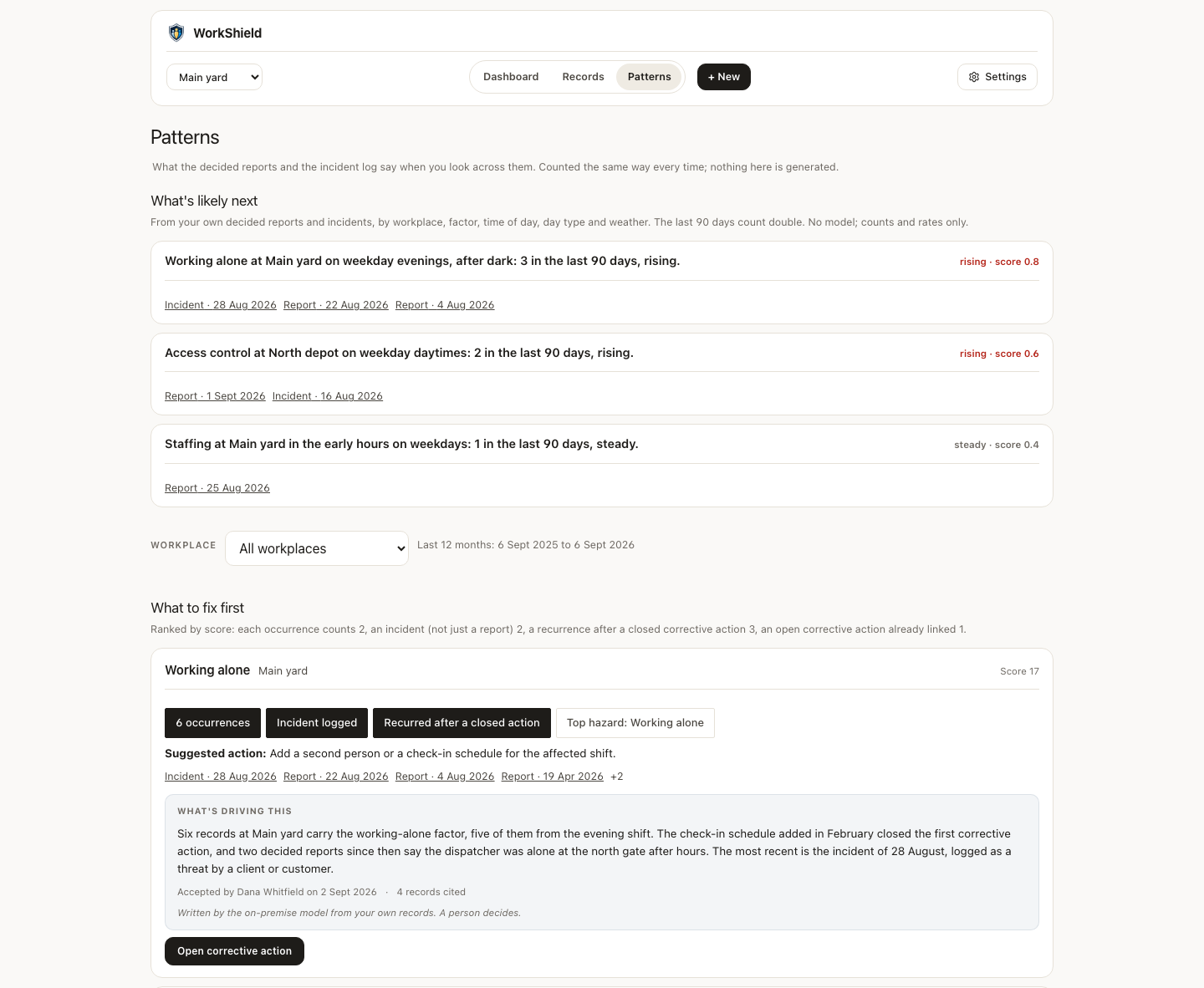
    The Patterns screen: what is likely next by workplace and factor, the what-to-fix-first ranking with a suggested action, and a What’s driving this narrative accepted by an administrator.
  2. Records

    Every record in one list with its history. Export CSV or PDF in one click. The employee-access copy and the inspector package are one PDF each.
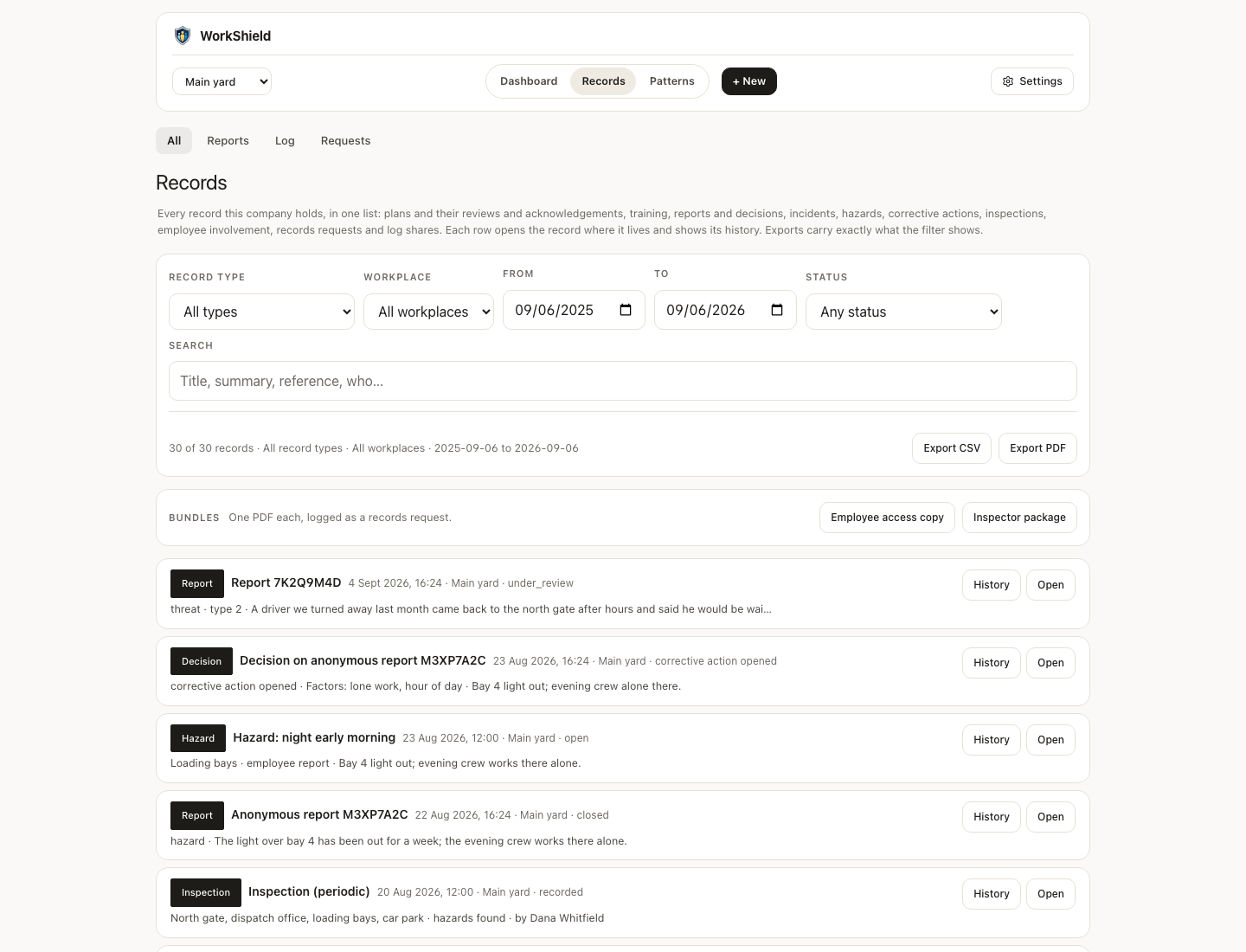
    The Records screen: filters by type, workplace, dates and status, export CSV and export PDF buttons, the employee-access copy and inspector package bundles, and a list of records each with a history button.

Screens show an invented workplace. Every name, place and record is made up.

Ready when you are

The first month is free, and your plan goes on file in minutes.

Start now